
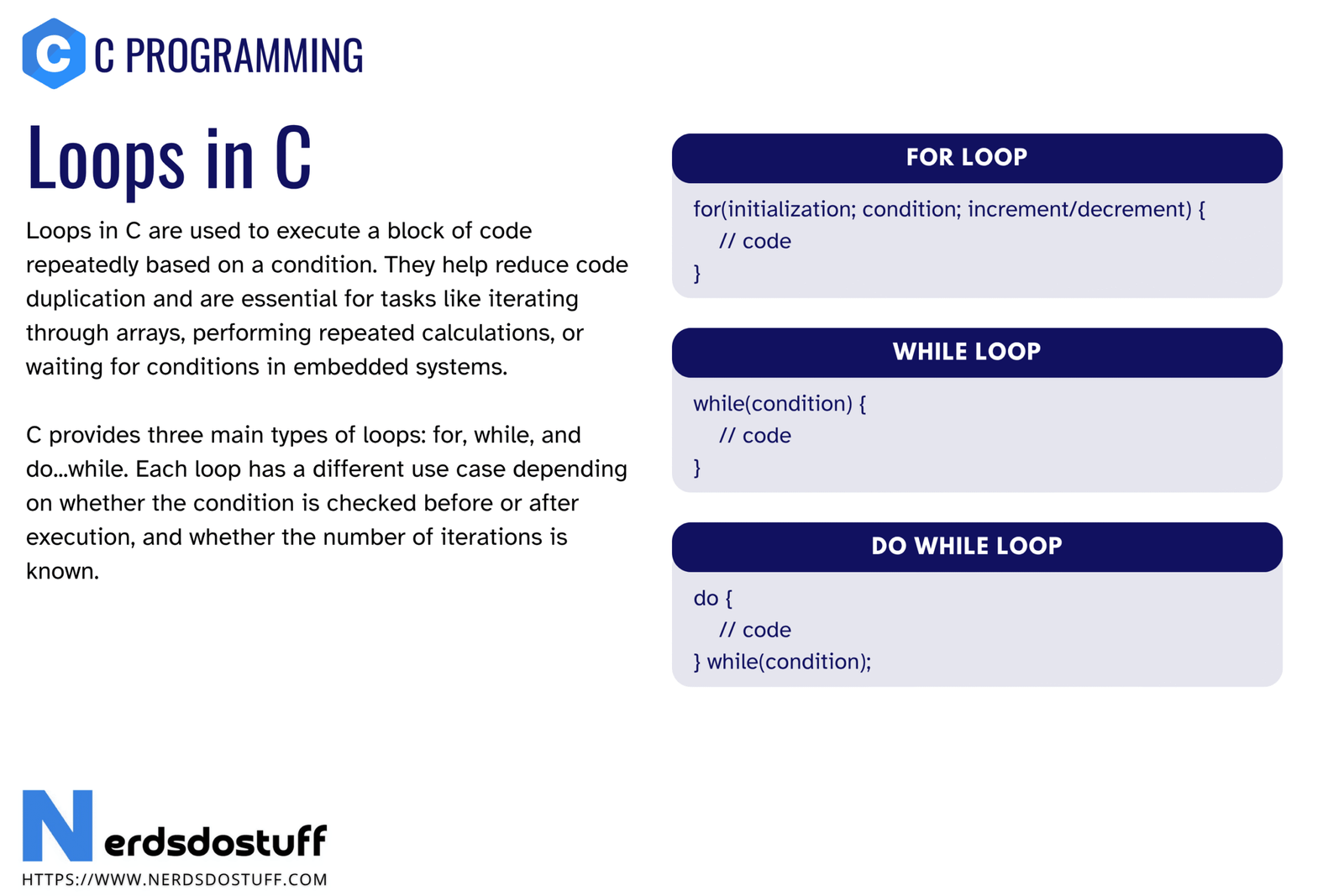
Loops in C are control structures used to repeat a block of code multiple times. They are one of the most important parts of programming because many tasks depend on repetition. If you want to print numbers, process arrays, read data repeatedly, search through values, or perform repeated calculations, you need loops.
In C, loops are direct and powerful. They let you control initialization, condition checking, repeated execution, and updates very clearly. In this article, we will understand what loops in C are, why they matter, the main types of loops, how they work, when each loop is useful, and the common mistakes beginners should avoid.
What are Loops in C?
A loop in C is a structure that repeats a set of statements as long as a given condition remains true. Instead of writing the same statement again and again manually, you write it once inside a loop and let the program repeat it.
for (int i = 1; i <= 5; i++)
{
    printf("%d\n", i);
}
This loop prints numbers from 1 to 5. The same task would be tedious and error-prone if written manually without repetition logic.
A loop saves effort by repeating code in a controlled way.
Why Loops are Important in C
- They help repeat tasks without writing duplicate code.
- They are used in counting, searching, traversing arrays, and processing input.
- They make programs shorter and more efficient to write.
- They are essential in algorithms and real-world problem solving.
- They make structured repetition easy to control.
Without loops, even simple programs would become long, repetitive, and difficult to maintain.
Main Types of Loops in C
C provides three main loop types:
- for loop
- while loop
- do while loop
| Loop Type | Best Use |
|---|---|
for | When repetition count or progression is clear |
while | When repetition depends mainly on a condition |
do while | When the loop body must run at least once |
All three loops repeat code, but they differ in how the condition and repeated steps are organized.
for Loop in C
The for loop is commonly used when you know the general repetition pattern in advance. It usually contains initialization, condition, and update in one compact line.
#include <stdio.h>
int main(void)
{
    for (int i = 1; i <= 5; i++)
    {
        printf("%d\n", i);
    }
    return 0;
}
This loop starts with i = 1, keeps running while i <= 5, and increases i after each iteration.
| Part | Role |
|---|---|
| Initialization | Runs once before the loop starts |
| Condition | Checked before each repetition |
| Update | Runs after each iteration |
The for loop is often the best choice for counting loops and array indexing.
while Loop in C
The while loop is useful when you want repetition to depend mainly on a condition and the update logic may not fit cleanly into a single compact expression.
#include <stdio.h>
int main(void)
{
    int i = 1;
    while (i <= 5)
    {
        printf("%d\n", i);
        i++;
    }
    return 0;
}
Here, the condition is checked before each iteration. If the condition is false from the beginning, the loop body will not run at all.
The while loop is often used when reading input repeatedly, waiting for a condition, or processing data until some stop rule is met.
do while Loop in C
The do while loop is slightly different because the body runs first and the condition is checked afterward. This guarantees that the loop body executes at least once.
#include <stdio.h>
int main(void)
{
    int i = 1;
    do
    {
        printf("%d\n", i);
        i++;
    } while (i <= 5);
    return 0;
}
This loop is useful when you want the program to perform an action first and then decide whether to continue, such as menu-driven input patterns.
Difference Between for, while and do while
| Feature | for | while | do while |
|---|---|---|---|
| Condition check | Before loop body | Before loop body | After loop body |
| Body may run zero times | Yes | Yes | No |
| Best use | Counting and index-based repetition | Condition-controlled repetition | At least one guaranteed execution |
| Style | Compact repetition structure | Flexible condition-based form | Post-check loop form |
Choosing the right loop improves readability. The goal is not just to make the program work, but to make the intent clear.
Nested Loops in C
A nested loop means one loop placed inside another loop. This is useful when working with rows and columns, patterns, tables, and two-dimensional data.
#include <stdio.h>
int main(void)
{
    for (int i = 1; i <= 3; i++)
    {
        for (int j = 1; j <= 2; j++)
        {
            printf("i = %d, j = %d\n", i, j);
        }
    }
    return 0;
}
The inner loop completes fully for each single iteration of the outer loop. Nested loops are powerful, but they also increase the number of total operations quickly.
Infinite Loops in C
An infinite loop is a loop that never stops because its condition never becomes false. Sometimes this is a bug, and sometimes it is intentional, such as in firmware, event processing, or continuous services.
while (1)
{
    /* repeated task */
}
A loop can also become accidentally infinite if the control variable is not updated correctly or if the condition is always true.
| Intentional Infinite Loop | Accidental Infinite Loop |
|---|---|
| Used in embedded systems, monitors, or service-style programs | Caused by logic mistakes |
| Usually contains a control mechanism inside | Often caused by missing update or wrong condition |
Loop Control Statements in C
Loops are often used together with control statements such as break and continue.
breakstops the loop immediately.continueskips the rest of the current iteration and moves to the next one.
These topics will be covered in detail separately, but they are part of practical loop usage and worth knowing from the start.
Common Uses of Loops in C
- printing a range of values
- traversing arrays
- calculating sums or products
- reading input repeatedly
- searching for an element
- generating patterns
- running repeated menu operations
If a task repeats, a loop is often the right structure.
Common Mistakes with Loops in C
- forgetting to update the control variable
- writing the wrong loop condition
- using the wrong loop type for the situation
- creating accidental infinite loops
- off-by-one errors such as stopping too early or too late
- misunderstanding when the condition is checked
| Mistake | Why it is wrong | Better approach |
|---|---|---|
Missing i++ or equivalent update | The loop may never stop | Always verify how the control variable changes |
Using i < 5 when i <= 5 was intended | Changes total iteration count | Check loop boundaries carefully |
Using while when one guaranteed execution is needed | Body may never run | Use do while when at least one run is required |
Loop mistakes are among the most common beginner bugs in C, especially when array indexes or counters are involved.
Best Practices for Loops in C
- Choose the loop type that best matches the problem.
- Keep loop conditions clear and readable.
- Check boundary conditions carefully.
- Avoid unnecessary complexity inside loops.
- Be careful with nested loops because they multiply work.
- Use meaningful variable names when loops become more complex.
A good loop is not just correct. It is also easy to read and easy to reason about.
FAQs
What are loops in C?
Loops in C are control structures that repeat a block of code while a given condition remains true.
What are the types of loops in C?
The main types of loops in C are for, while, and do while.
What is the difference between while and do while in C?
A while loop checks the condition before the loop body, while a do while loop checks the condition after the body, so the body runs at least once.
When should I use a for loop in C?
Use a for loop when the repetition pattern is clear, especially for counting and index-based iteration.
What is an infinite loop in C?
An infinite loop is a loop that never ends because its condition never becomes false, either intentionally or by mistake.
Continue learning C in order
Follow the topic sequence with the previous and next lesson.