
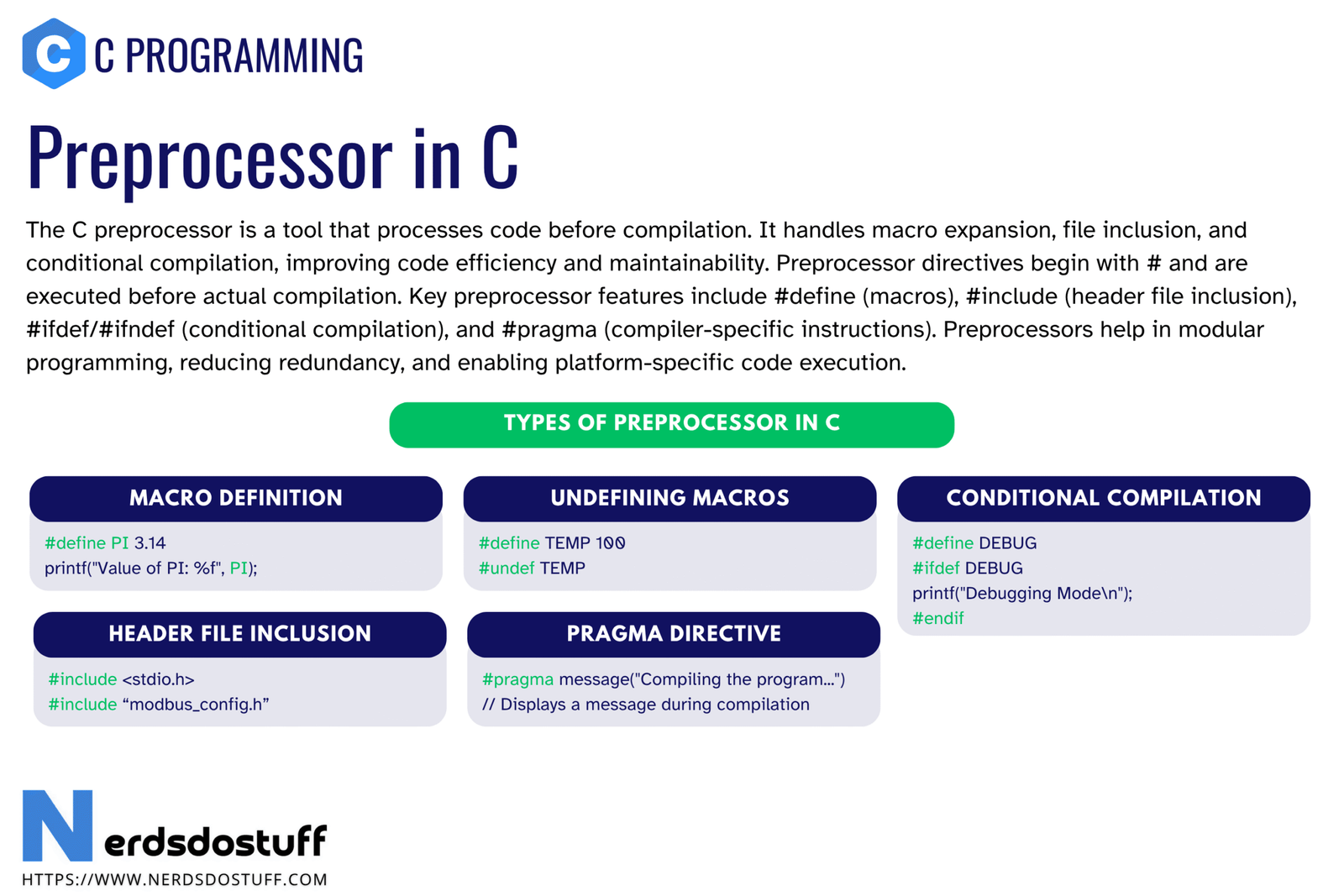
The preprocessor in C is the tool that processes source code before the actual compiler starts translating it into machine-level form. It handles special instructions called preprocessor directives, which begin with the # symbol. These directives are used for tasks such as including header files, defining macros, controlling conditional compilation, and preparing source code for the next compilation stage.
Many beginners treat the preprocessor as if it were part of the compiler itself, but it is more accurate to think of it as an earlier stage in the build flow. If you understand the preprocessor well, topics like header files, macros, header guards, and conditional compilation become much easier. In this article, we will understand preprocessor in C, how it works, the most important directives, examples, and common mistakes.
What is Preprocessor in C?
The preprocessor in C is a program that reads the source file before compilation and applies preprocessing directives. It does not execute the program logic. Instead, it transforms the source text according to the directives it finds.
For example, it can:
- insert the contents of header files
- replace macro names with their definitions
- include or exclude code based on conditions
- remove comments before later compilation stages
The preprocessor does not compile your code. It prepares your code for compilation.
When Preprocessor Runs in C
The preprocessor runs before the compiler proper. This means the compiler usually sees the preprocessed output, not the exact original file you wrote.
- Preprocessing
- Compilation
- Assembly
- Linking
This order matters because macro replacement and header inclusion happen before syntax analysis and code generation.
Why Preprocessor Directives Start with #
The # symbol tells the preprocessor that the line is not ordinary C code. It is a directive that must be handled before compilation. Common directives include #include, #define, #undef, #if, #ifdef, #ifndef, #else, #elif, #endif, and #pragma.
Common Preprocessor Directives in C
| Directive | Purpose |
|---|---|
#include | Includes header file content |
#define | Defines macros or symbolic constants |
#undef | Removes a macro definition |
#if, #ifdef, #ifndef | Conditional compilation |
#else, #elif, #endif | Alternative and closing condition branches |
#pragma | Compiler-specific instruction |
These directives are essential in real-world C code, especially when writing portable and configurable programs.
#include Directive in C
The #include directive inserts the contents of another file into the current source file during preprocessing. It is mostly used for header files.
#include <stdio.h>
#include "myheader.h"
Angle brackets are generally used for standard or system headers, while double quotes are commonly used for user-defined headers.
#define Directive in C
The #define directive creates macros. A macro may represent a constant, a small inline expression, or a more complex code pattern.
#define PI 3.14159
#define SQUARE(x) ((x) * (x))
During preprocessing, the macro name is replaced with its definition before the compiler sees the code.
#undef Directive in C
The #undef directive removes a macro definition so that the name no longer expands as a macro.
#define LIMIT 100
#undef LIMIT
This is useful when a macro must be redefined later or when macro name conflicts need to be removed.
Conditional Compilation in C
Conditional compilation allows certain parts of the program to be included or excluded depending on whether a condition is true during preprocessing.
#ifdef DEBUG
printf("Debug mode\n");
#endif
This is useful for debug builds, platform-specific code, feature toggles, and optional sections of a program.
| Directive | Meaning |
|---|---|
#ifdef NAME | True if macro is defined |
#ifndef NAME | True if macro is not defined |
#if expr | True if expression evaluates to non-zero |
#elif expr | Else-if branch |
#else | Fallback branch |
#endif | Ends the conditional block |
Predefined Macros in C
C also provides some predefined macros that the compiler or preprocessor makes available automatically.
| Macro | Meaning |
|---|---|
__FILE__ | Current file name |
__LINE__ | Current line number |
__DATE__ | Compilation date |
__TIME__ | Compilation time |
These macros are often used in debugging, logging, and diagnostic output.
#include <stdio.h>
int main(void)
{
    printf("File: %s\n", __FILE__);
    printf("Line: %d\n", __LINE__);
    return 0;
}
Header Guards in C
Header guards are one of the most important uses of conditional preprocessing. They prevent the same header file from being included multiple times in a way that causes redefinition errors.
#ifndef MYHEADER_H
#define MYHEADER_H
/* declarations */
#endif
Without header guards, repeated inclusion of the same declarations can break compilation in larger programs.
#pragma Directive in C
The #pragma directive is used for compiler-specific instructions. Its meaning can vary by compiler, so it should be used carefully.
Examples include controlling warnings, packing structures, or using once-only header behavior in some compilers.
How to See Preprocessed Output in C
If you want to see what the preprocessor produced, compilers such as GCC can show preprocessed output. A common command is:
gcc -E program.cThis is a useful way to understand how macros expand and how included headers appear before compilation.
Advantages of Preprocessor in C
- supports reusable declarations through header inclusion
- allows symbolic constants and macros
- makes conditional builds possible
- helps write portable code across platforms
- supports debugging and configuration through predefined macros
Common Mistakes with Preprocessor in C
- thinking preprocessor directives are normal runtime statements
- using macros without parentheses and causing precedence bugs
- forgetting header guards in custom headers
- writing conditional compilation blocks that are hard to follow
- overusing macros where normal functions would be clearer
| Mistake | Problem | Better practice |
|---|---|---|
| No header guards | Redefinition errors | Use #ifndef / #define / #endif |
| Unsafe macros | Unexpected expansion bugs | Wrap expressions carefully |
| Too much conditional code | Readability drops | Keep branches simple and documented |
| Treating preprocessor like runtime logic | Wrong mental model | Remember preprocessing happens before compilation |
Best Practices for Preprocessor in C
- Use header guards in your own headers.
- Keep macros simple and readable.
- Prefer constants and functions when they are clearer than macros.
- Use conditional compilation only where it actually helps portability or configuration.
- Remember that the preprocessor changes source text before compilation.
FAQs
What is preprocessor in C?
The preprocessor in C is a tool that processes source code before compilation and handles directives such as #include, #define, and conditional compilation.
What does #include do in C?
#include inserts the contents of another file, usually a header file, into the current source file before compilation.
What does #define do in C?
#define creates macros that the preprocessor replaces before the compiler sees the code.
Why are header guards needed in C?
Header guards prevent multiple inclusion of the same header file from causing redefinition errors.
What is conditional compilation in C?
Conditional compilation allows code to be included or skipped depending on whether certain macros or conditions are true during preprocessing.
How can I see preprocessed output in C?
You can use a command such as gcc -E program.c to see the output after preprocessing.
Continue learning C in order
Follow the topic sequence with the previous and next lesson.