
Compilation in C is the process of converting human-readable C source code into a machine-executable program. This is one of the most important ideas in C because the language does not run directly from the source file. Before a C program can execute, the compiler toolchain must transform it through several stages. If you understand these stages, many confusing topics in C become much easier, including header files, object files, linker errors, libraries, and command-line compilation.
Many beginners learn how to write a C program but do not really understand what happens after pressing the compile button in an IDE. That gap creates confusion later when they see errors related to preprocessing, undefined references, missing headers, or incompatible libraries. In this article, we will study compilation in C from a practical perspective. We will see what each stage does, what files are produced, which GCC commands are commonly used, and what kinds of problems appear at each step.
What is Compilation in C?
Compilation in C is the process of translating a C source file into executable machine code. The source code is written by the programmer, but the processor cannot execute that code directly. It only understands machine instructions. The compiler toolchain acts as a translator and builder. It processes the source code, checks it for errors, generates lower-level representations, and finally produces an executable file.
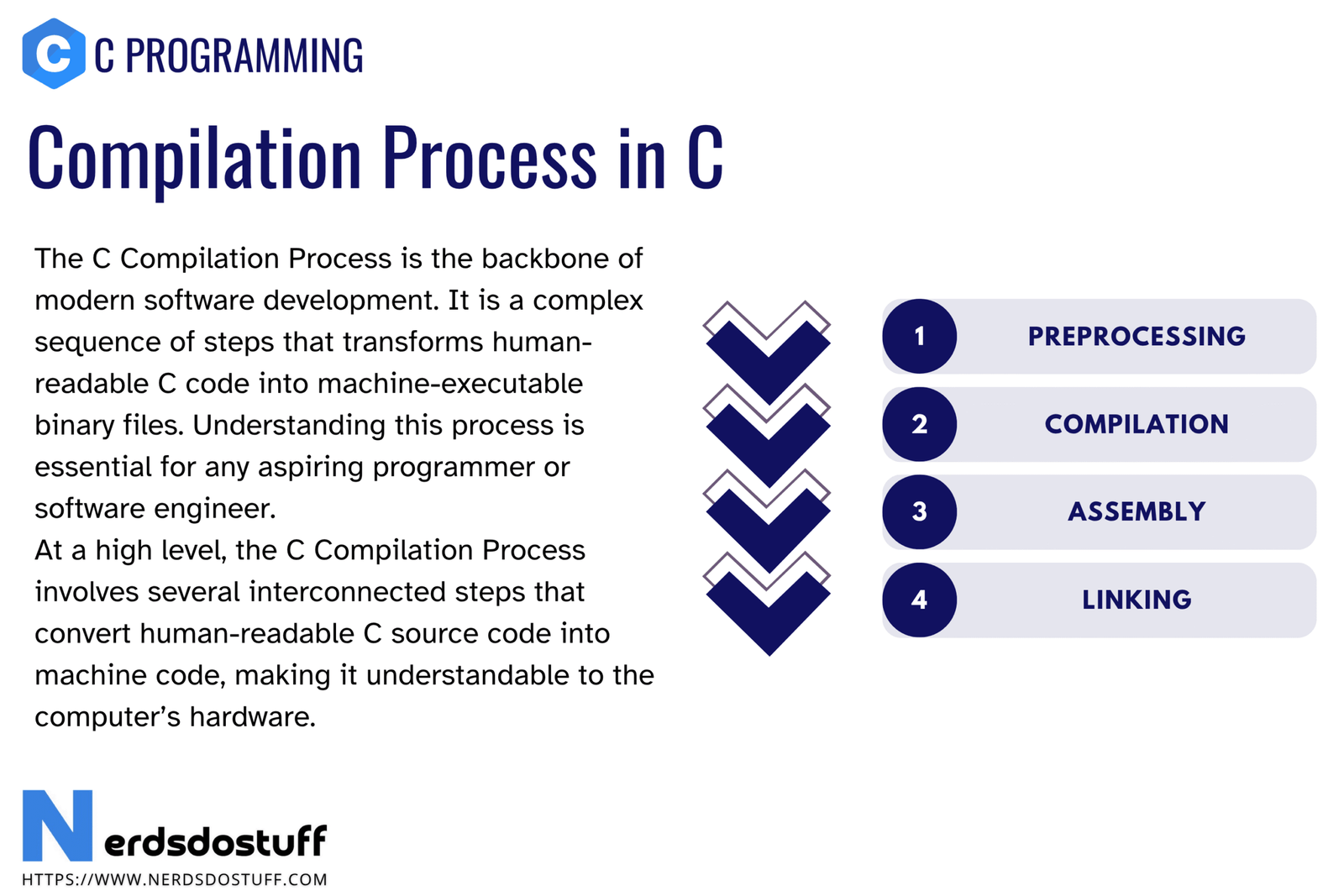
In practical usage, people often use the word compilation for the entire build flow, but the full process usually includes four major stages:
- Preprocessing
- Compilation
- Assembly
- Linking
Some compilers internally perform additional analysis and optimization steps, but these four stages are the clearest and most useful way for a beginner to understand how a C program becomes runnable.
Stages of Compilation in C
| Stage | Input | Main Job | Typical Output |
|---|---|---|---|
| Preprocessing | .c source file | Expands headers, macros, and conditional directives | .i preprocessed file |
| Compilation | Preprocessed source | Checks syntax and semantics, generates assembly | .s assembly file |
| Assembly | Assembly code | Converts assembly into object code | .o object file |
| Linking | Object files and libraries | Resolves external references and builds final program | Executable file |
This table is the foundation of the topic. If you remember what goes in and what comes out at each stage, the overall process becomes much easier to visualize.
1. Preprocessing in C
Preprocessing is the first stage of compilation in C. It handles all preprocessor directives before the actual compilation phase starts. These directives begin with the # symbol and are processed before the compiler works on the program logic.
#includeinserts the contents of header files.#defineexpands macros.#ifdef,#ifndef, and related directives handle conditional compilation.#pragmagives compiler-specific instructions in some cases.
For example, when the compiler sees #include <stdio.h>, it does not keep that line as-is in the preprocessed output. Instead, it expands the declarations from the standard header into the program’s translation unit. Similarly, macros are replaced with their expanded forms before later stages begin.
#define PI 3.14159
#include <stdio.h>

int main(void)
{
    printf("%f\n", PI);
    return 0;
}
During preprocessing, the macro PI is replaced with 3.14159. This happens before the compilation stage checks the actual program logic.
If you want to see only the preprocessed output using GCC, you can use the -E option.
gcc -E hello.c -o hello.i2. Compilation Stage in C
After preprocessing, the compiler takes the expanded source code and translates it into assembly code. This stage is often called the actual compilation stage in the narrow sense. Here the compiler performs syntax checking, type checking, semantic analysis, and many internal transformations.
This is the stage where many common errors are detected. Missing semicolons, undeclared variables, incompatible types, invalid function usage, and many other mistakes are usually caught here.
- Checks whether the code follows C syntax rules
- Verifies types and declarations
- Builds internal representations of the program
- Applies optimizations depending on compiler settings
- Generates assembly code for the target architecture
If you want GCC to stop after generating assembly, you can use the -S option.
gcc -S hello.c -o hello.sThe generated .s file contains assembly instructions. Beginners do not need to master assembly immediately, but seeing this file is useful because it proves that C is being translated into a lower-level form before execution.
3. Assembling in C Build Process
The assembler takes the assembly file and converts it into object code. The object code is machine-readable, but it is not usually a complete executable program yet. Instead, it becomes an object file, commonly with the .o extension on Unix-like systems.
An object file can contain machine instructions, symbol information, relocation information, and references to functions or variables that may be resolved later during linking. This is why a single object file is often not enough to run a complete application.
To stop after generating the object file, GCC commonly uses the -c option.
gcc -c hello.c -o hello.oAt this point, the code is much closer to the processor, but if your program uses external functions such as printf(), references to those functions still need to be resolved.
4. Linking in C
Linking is the final stage of the full compilation flow. The linker combines one or more object files with the required libraries and resolves external references. If your program calls a standard library function such as printf(), the linker ensures the executable knows where that function comes from.
This is the stage where beginners often see errors such as undefined reference. That message usually means the compiler accepted the code, but the linker could not find the implementation of a function or symbol required by the program.
- Combines multiple object files into one final program
- Resolves function and variable references across files
- Adds required library code
- Produces the executable file
A simple compile-and-link command with GCC looks like this:
gcc hello.c -o helloThis single command usually performs preprocessing, compilation, assembly, and linking in one go.
Example of Full Compilation Flow in C
Consider this simple Hello World source file.
#include <stdio.h>

int main(void)
{
    printf("Hello, World!\n");
    return 0;
}
You can observe the build process stage by stage using GCC commands like these:
gcc -E hello.c -o hello.i
gcc -S hello.i -o hello.s
gcc -c hello.s -o hello.o
gcc hello.o -o hello
These commands make the build pipeline visible. In normal work, programmers often use one single command or a build system such as Make or CMake, but breaking the process into steps is an excellent learning technique.
Files Generated During Compilation in C
| File Type | Example | Meaning |
|---|---|---|
| Source file | hello.c | Your original C program |
| Preprocessed file | hello.i | Source after macro and header expansion |
| Assembly file | hello.s | Assembly code generated by the compiler |
| Object file | hello.o | Machine-level object code before final linking |
| Executable file | hello or hello.exe | Final runnable program |
Knowing these file types helps you understand build outputs and debug problems more intelligently.
Static Linking vs Dynamic Linking
When the linker builds the final executable, it may use static or dynamic linking depending on the build setup and libraries involved.
- Static linking: library code is copied into the executable. The executable becomes larger but more self-contained.
- Dynamic linking: the executable uses shared libraries at runtime. The executable is smaller, but it depends on external library files being available on the system.
Beginners do not need to master all linker details immediately, but understanding that linking is responsible for combining program code with libraries is very important.
Common Errors Related to Compilation in C
Compilation problems in C often become easier to solve once you know which stage produced the error.
- Preprocessing errors: missing header files, macro problems, conditional compilation issues
- Compilation errors: syntax errors, undeclared variables, type mismatches, invalid statements
- Assembly-related issues: uncommon for beginners, usually handled automatically by the toolchain
- Linker errors: undefined references, missing libraries, duplicate symbol definitions
For example, if you forget to include the math library in some systems while using math functions, the compiler may accept the source file, but the linker may fail because it cannot resolve the required symbols.
This is why understanding the compilation flow is not just theoretical. It directly improves debugging skill.
Why Compilation in C Matters for Beginners
Many languages hide most of the build process. C does not. That is one reason C is so valuable for technical learning. It teaches that a program is not merely text written in an editor. It is a structured artifact that passes through multiple transformations before it can run.
- You understand what the compiler actually does.
- You learn how headers, object files, and libraries fit together.
- You become better at reading compiler and linker errors.
- You build a stronger foundation for embedded systems and systems programming.
- You become more comfortable with command-line tools and build systems.
Once this topic is clear, later concepts such as header files, macros, libraries, separate compilation, and makefiles become much more intuitive.
FAQs
What are the stages of compilation in C?
The main stages are preprocessing, compilation, assembly, and linking. Together they convert C source code into an executable program.
What does the preprocessor do in C?
The preprocessor handles directives such as #include and #define. It expands headers, macros, and conditional compilation instructions before the compiler processes the code logic.
What is the difference between compilation and linking in C?
Compilation translates processed source code into assembly or object-level output, while linking combines object files and libraries and resolves external references to create the final executable.
What is an object file in C?
An object file is the machine-level output generated before final linking. It contains compiled code and symbol information, but it is not usually a complete runnable program by itself.
Why do linker errors happen in C?
Linker errors happen when the linker cannot find the implementation of a referenced function or symbol, or when libraries are missing or incorrectly connected during the final build step.
Continue learning C in order
Follow the topic sequence with the previous and next lesson.