
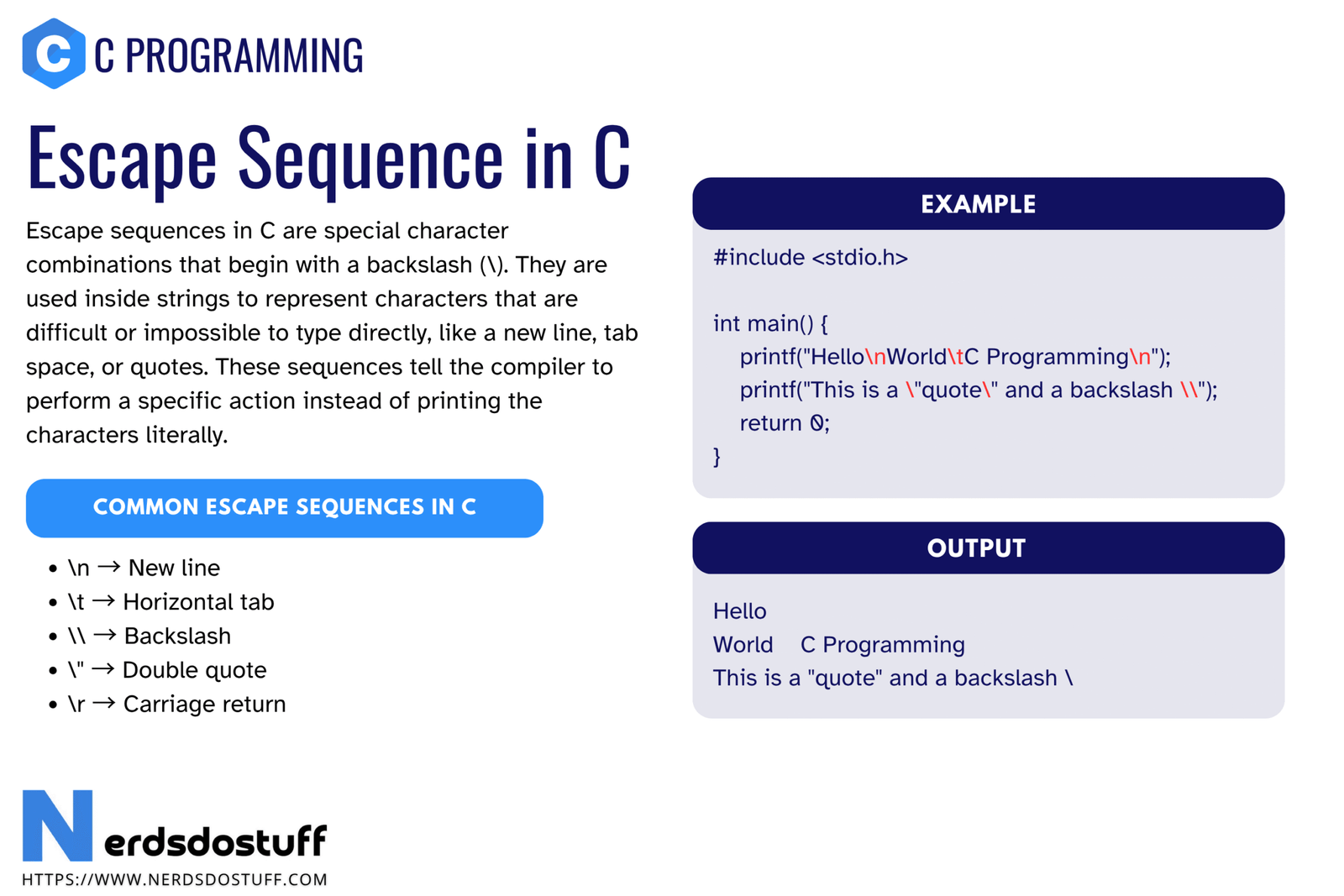
Escape sequence in C refers to a special character combination that begins with a backslash \ and is used inside character constants or string literals. These sequences let programmers represent characters that are difficult or impossible to write directly in ordinary source code, such as a newline, a tab, a double quote inside a string, or the null character.
This topic may look small at first, but it appears everywhere in C programming. Output formatting, strings, file paths, console text, and character processing all depend on escape sequences. If you do not understand them clearly, even simple programs can produce confusing output. In this article, we will understand what escape sequences in C are, why they are needed, how they work, the common escape sequences every beginner should know, practical examples, and the mistakes that often cause bugs.
What is Escape Sequence in C?
An escape sequence in C is a combination of two or more characters that the compiler treats as a single special character. It usually starts with a backslash \. When the compiler sees that backslash inside a string literal or character constant, it does not interpret the following characters normally. Instead, it treats them as one special encoded character.
For example, \n represents a newline. It is written as two characters in the source code, but during program execution it behaves like one special line-break character.
printf("Hello\nWorld");This code prints Hello and World on separate lines because \n inserts a newline between the two words.
Why Escape Sequences are Needed in C
- They represent non-printing characters such as newline and tab.
- They allow special symbols like quotes and backslashes to appear inside strings.
- They make text formatting in output possible.
- They help represent characters using numeric codes.
- They make strings and character constants more expressive without breaking syntax.
Without escape sequences, printing formatted output would be much harder. For example, writing a string across multiple lines or printing a double quote inside a sentence would either be awkward or invalid in ordinary C syntax.
How Escape Sequences Work in C
When the compiler reads a string literal or character constant, it checks whether a backslash appears inside it. If the backslash is followed by a valid escape code, the compiler converts that combination into the intended special character.
For example, the source code "A\nB" contains four visible characters in the editor: A, \, n, and B. But when the program runs, \n becomes one newline character between A and B.
Escape sequences are written as multiple source characters, but they usually represent a single special character during execution.
Common Escape Sequences in C
| Escape Sequence | Meaning | Common Use |
|---|---|---|
\n | Newline | Move output to the next line |
\t | Horizontal tab | Insert tab spacing |
\b | Backspace | Move cursor one position back |
\r | Carriage return | Return cursor to the beginning of the line |
\f | Form feed | Page-related control in some environments |
\v | Vertical tab | Vertical spacing control |
\\ | Backslash | Print a backslash character |
\' | Single quote | Use quote inside character or string contexts |
\" | Double quote | Print double quote inside a string literal |
\? | Question mark | Rarely used special form |
\0 | Null character | String terminator or null character value |
\ooo | Octal value | Represent character by octal code |
\xhh | Hexadecimal value | Represent character by hexadecimal code |
\a | Alert or bell | Sound or alert behavior in some terminals |
Some of these are seen daily, such as \n, \t, \\, and \". Others are less common but still part of the language and useful in specific situations.
Most Important Escape Sequences Explained
Newline: \n
The newline escape sequence moves the cursor to the next line. It is one of the most commonly used escape sequences in C because almost every console program needs readable output.
printf("Line 1\nLine 2\nLine 3");Tab: \t
The tab escape sequence inserts horizontal spacing. It is useful when printing simple aligned output.
printf("Name\tMarks\nRahul\t85");Backslash: \\
If you want to print a backslash itself, you must escape it with another backslash. Otherwise, the compiler thinks you are starting an escape sequence.
printf("Folder path: C:\\Projects\\CPrograms");Double Quote: \"
A double quote normally ends a string literal, so if you want to print quotation marks inside a string, you must escape them.
printf("She said, \"Learn C properly.\"");Null Character: \0
The null character is extremely important in C because strings are conventionally terminated with \0. This special character marks the end of a string in memory. It is not the same as the digit character '0'.
Example Program Using Escape Sequences in C
The following program shows several escape sequences in one place so that you can observe their effect clearly.
#include <stdio.h>
int main(void)
{
    printf("Welcome to C programming\n");
    printf("Name\tAge\tMarks\n");
    printf("Aman\t20\t91\n");
    printf("This is a backslash: \\\n");
    printf("This is a double quote: \"C\"\n");
    return 0;
}
This example uses \n, \t, \\, and \" in a practical way. Once you understand these few sequences, most beginner-level formatting problems become much easier.
Escape Sequences in Character Constants
Escape sequences are not limited to strings. They can also be used in character constants. For example, the newline character can be stored in a char variable.
char newline = '\n';
char quote = '\'';
char slash = '\\';
Here each character constant still represents one character, even though it may take multiple typed symbols in the source file.
Octal and Hexadecimal Escape Sequences
C also allows characters to be represented using numeric escape sequences. This is useful when you want to specify a character by its code value instead of writing the visible symbol directly.
| Form | Meaning | Example |
|---|---|---|
\101 | Octal escape sequence | Represents A |
\x41 | Hexadecimal escape sequence | Also represents A |
printf("%c\n", '\101');
printf("%c\n", '\x41');
These forms are not as common in beginner programs, but they are part of standard C and worth recognizing.
Difference Between \0 and ‘0’ in C
This difference is important. \0 is the null character whose value is zero. '0' is the printable digit character zero, which has its own character code such as ASCII 48 in common character sets.
| Form | Meaning | Typical Role |
|---|---|---|
\0 | Null character | String terminator and zero-valued character |
'0' | Digit zero character | Visible character in text |
Confusing these two leads to string bugs and character-comparison mistakes, especially when beginners start working with arrays and strings.
Common Mistakes with Escape Sequences in C
- Forgetting that backslash starts a special sequence
- Writing a Windows-style path with single backslashes inside a string
- Confusing
\0with the digit'0' - Assuming
\talways creates perfect alignment in every console - Using an invalid escape such as
\mand expecting it to work - Not escaping double quotes inside a string literal
| Wrong Code | Problem | Correct Form |
|---|---|---|
printf("C:\new\test"); | \n and \t are interpreted as escape sequences | printf("C:\\new\\test"); |
printf("He said "Hi""); | String breaks because quotes are not escaped | printf("He said \"Hi\""); |
char c = '\m'; | Invalid escape sequence | Use a valid escape or a normal character |
Compiler warnings are especially useful here. If the compiler reports an unknown escape sequence, do not ignore it.
Best Practices for Using Escape Sequences in C
- Memorize the common sequences:
\n,\t,\\,\", and\0. - Be careful when writing file paths or regular-expression-like text inside strings.
- Use escape sequences only where they improve clarity and correctness.
- Remember that strings in C end at the null character
\0. - Read compiler warnings for invalid escape usage.
- Test the actual output when formatting console text.
Good C code uses escape sequences deliberately, not accidentally. Once you recognize where backslashes matter, string handling becomes much less error-prone.
FAQs
What is escape sequence in C?
An escape sequence in C is a special backslash-based code used inside strings or character constants to represent characters such as newline, tab, quote, or backslash.
Why is \n used in C?
\n is used to insert a newline, which moves the cursor to the next line in output.
What does \t mean in C?
\t means horizontal tab. It inserts tab spacing in output.
What is the use of \\ in C?
\\ is used when you want to print a backslash character itself inside a string.
What is the difference between \0 and ‘0’ in C?
\0 is the null character, while '0' is the printable digit zero character. They are not the same.
Continue learning C in order
Follow the topic sequence with the previous and next lesson.