
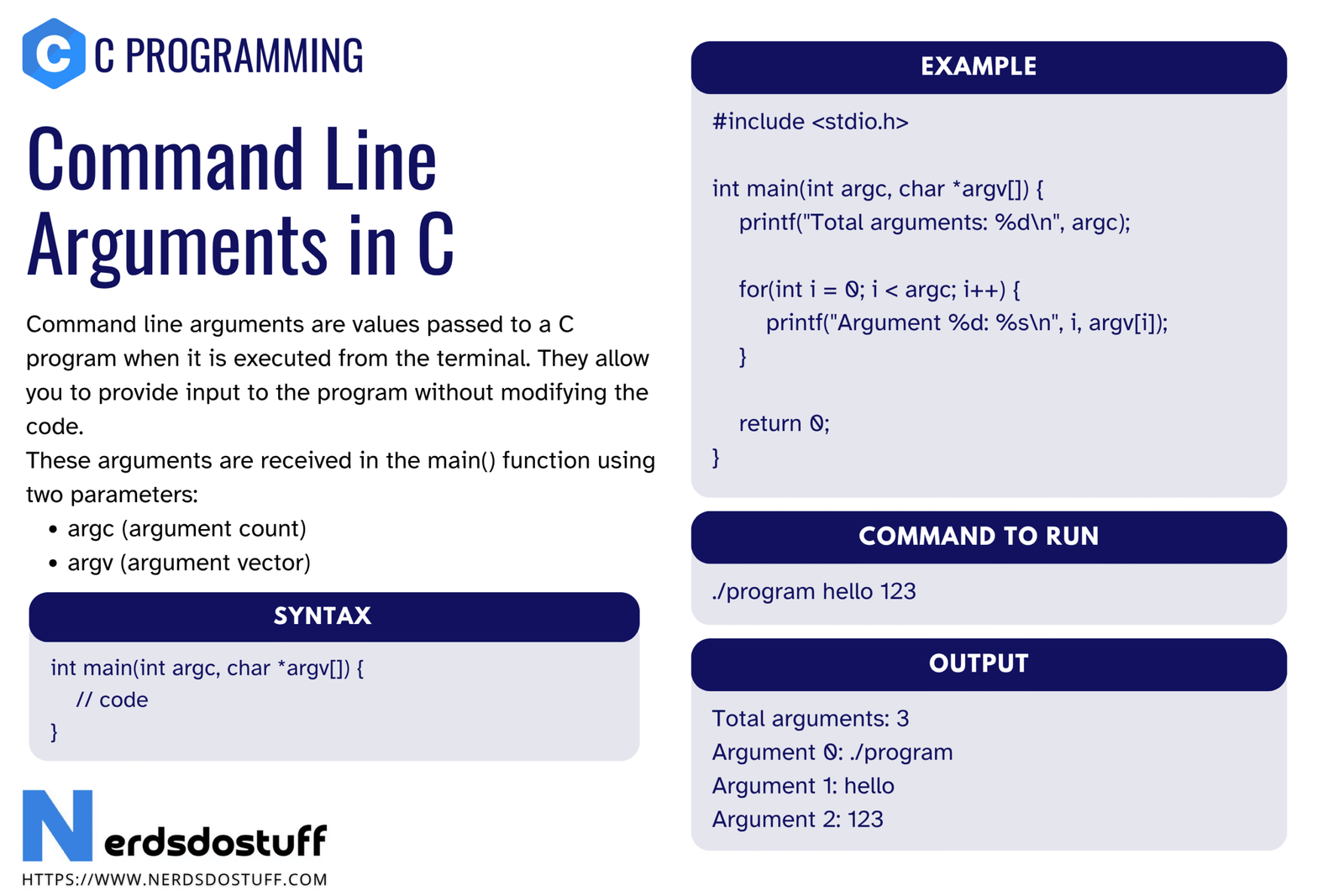
Command line arguments in C allow values to be passed to a program at the time it is executed from the terminal or command prompt. Instead of taking all input after the program starts, the program can receive data directly from the command line. This is very useful when writing utilities, scripts, testing tools, batch programs, and many system-level applications.
Many beginners first learn a main() function without parameters, but C also allows main() to receive command line data. Those values are commonly handled using argc and argv. Once you understand this topic, you can make your programs more flexible and closer to how real command-line tools work. In this article, we will understand command line arguments in C, their syntax, working, examples, conversion methods, practical uses, and common mistakes.
What are Command Line Arguments in C?
Command line arguments in C are values passed to the program when it is started from the terminal or command prompt.
These values are received by the main() function as parameters. They allow the program to know what command was used and what extra values were supplied along with it.
Command line arguments in C let a program receive input before execution begins.
Syntax of Command Line Arguments in C
The most common syntax is:
int main(int argc, char *argv[])
{
    /* program code */
}
You may also see:
int main(int argc, char **argv)
{
    /* program code */
}
Both forms are equivalent in meaning.
| Parameter | Meaning |
|---|---|
argc | Argument count, the number of command line items |
argv | Argument vector, an array of strings containing those items |
What is argc in C?
argc stands for argument count. It tells the program how many command line items were passed.
The program name itself is also counted as one argument. So if you run:
program.exe hello 25
then argc becomes 3.
argv[0]= program nameargv[1]= helloargv[2]= 25
What is argv in C?
argv stands for argument vector. It is an array of character pointers, where each element points to one command line argument stored as a string.
This means even numbers entered on the command line are first received as strings. If numeric use is needed, conversion must be done explicitly.
Basic Example of Command Line Arguments in C
Here is a simple program that prints the argument count and each argument value.
#include <stdio.h>
int main(int argc, char *argv[])
{
    int i;
    printf("Total arguments = %d\n", argc);
    for (i = 0; i < argc; i++)
    {
        printf("argv[%d] = %s\n", i, argv[i]);
    }
    return 0;
}
If the program is run as:
program.exe apple mango 42
then the output will show the program name plus the three extra arguments.
How Command Line Arguments Work in C
- The user types the program command in the terminal.
- The operating system separates the command into tokens.
- Those tokens are passed to the program.
argcstores how many items were passed.argvstores each item as a string.- The program reads and processes them inside
main().
This is why command line arguments are available immediately when the program starts.
Converting Command Line Arguments to Numbers in C
Since command line arguments are received as strings, numeric conversion is often required.
A common approach is to use functions such as atoi(), atof(), strtol(), or strtod().
#include <stdio.h>
#include <stdlib.h>
int main(int argc, char *argv[])
{
    if (argc != 3)
    {
        printf("Usage: program number1 number2\n");
        return 1;
    }
    int a = atoi(argv[1]);
    int b = atoi(argv[2]);
    printf("Sum = %d\n", a + b);
    return 0;
}
If the command is:
program.exe 12 30
then the program prints 42.
For stronger validation in real programs, strtol() is usually safer than atoi().
Example of String Arguments in C
Command line arguments are often used as plain strings too.
#include <stdio.h>
int main(int argc, char *argv[])
{
    if (argc < 2)
    {
        printf("No name provided\n");
        return 1;
    }
    printf("Hello, %s\n", argv[1]);
    return 0;
}
If the command is program.exe Shreyas, the program prints a greeting using that argument.
Practical Uses of Command Line Arguments in C
- passing file names to the program
- supplying numbers for calculations
- selecting execution modes such as debug or test
- providing user names, options, or keywords
- building utilities that behave like real terminal commands
Many command-line tools in operating systems work on exactly this model.
Difference Between Command Line Arguments and scanf in C
| Point | Command Line Arguments | scanf() |
|---|---|---|
| When input is received | Before program starts executing | After program starts running |
| Source | Terminal command | Keyboard input during runtime |
| Form | Received as strings in argv | Read according to format specifiers |
| Use case | Utilities, scripts, automation | Interactive programs |
Both methods are useful, but they solve different kinds of input problems.
Common Mistakes in Command Line Arguments in C
- forgetting that
argv[0]is the program name - accessing
argv[1]without checkingargc - assuming numeric arguments are already integers
- using
atoi()without validation in serious programs - confusing
char *argv[]with a single string
| Mistake | Problem | Better Practice |
|---|---|---|
Using argv[1] blindly | May crash or read invalid memory | Check argc first |
| Treating numbers as integers directly | Arguments are strings | Convert with atoi() or strtol() |
| Ignoring missing input case | Program behaves unpredictably | Print usage message when arguments are missing |
Best Practices for Command Line Arguments in C
- Always check
argcbefore reading fromargv. - Show a clear usage message if the required arguments are missing.
- Convert numeric values carefully.
- Use descriptive argument positions in program documentation.
- Keep command-line behavior simple and predictable.
FAQs
What are command line arguments in C?
Command line arguments in C are values passed to the program at the time of execution through the terminal or command prompt.
What is argc in C?
argc is the argument count. It tells how many command line items were passed to the program.
What is argv in C?
argv is the argument vector. It stores the command line items as strings.
Why is argv[0] special in C?
argv[0] usually stores the program name or the command used to run the program.
How do you convert command line arguments to integers in C?
You can convert them using functions such as atoi() or strtol().
Why should argc be checked before using argv?
Because if the required arguments are not provided, accessing missing argv entries can cause incorrect behavior.
Continue learning C in order
Follow the topic sequence with the previous and next lesson.