
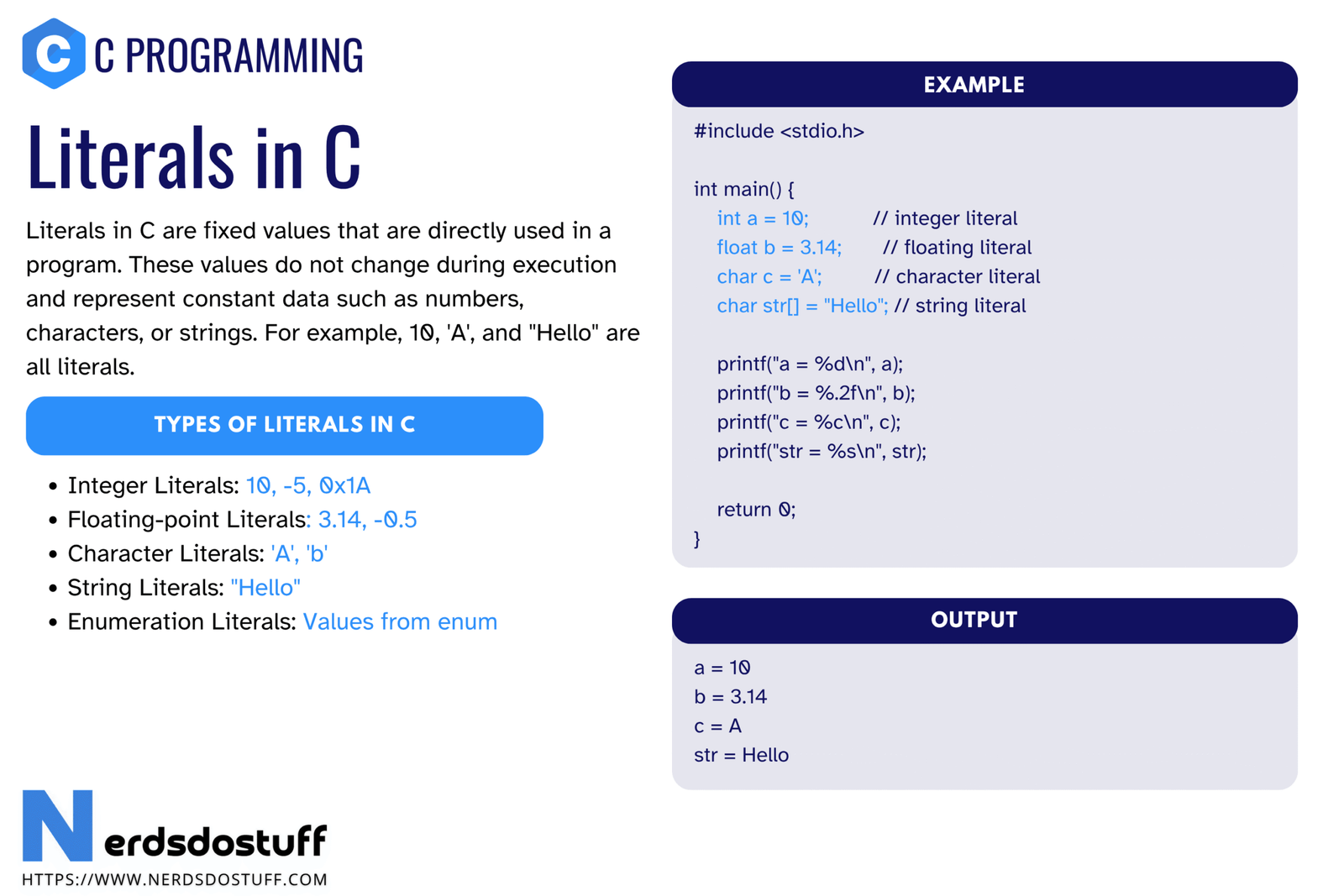
Literals in C are fixed values written directly in the source code. They appear exactly as the programmer writes them and they represent actual data such as numbers, characters, and strings. When you write 10, 3.14, 'A', or "Hello" in a C program, you are using literals.
This topic is important because literals appear everywhere in C programming. They are used in assignments, conditions, expressions, function calls, arrays, character handling, and string processing. If you do not understand literals properly, it becomes harder to understand constants, tokens, operators, type conversion, and formatting. In this article, we will understand what literals in C are, the main types of literals, how they differ from named constants, common suffixes and formats, and the mistakes beginners should avoid.
What are Literals in C?
A literal in C is a fixed value written directly in the code. It is not a variable name and it is not something calculated later. It is the actual value as written in the source file.
For example:
int age = 18;
float pi = 3.14f;
char grade = 'A';
printf("Hello");
In this code, 18, 3.14f, 'A', and "Hello" are literals. They are written directly in the program and represent exact values.
A literal is the direct written form of a value in a program.
Why Literals are Important in C
- They are the most direct way to place values in code.
- They help the compiler understand the intended data type.
- They are used in expressions, conditions, and function arguments.
- They help you understand constants, tokens, and data types more clearly.
- They are essential in character and string handling.
Nearly every C program contains literals, even very small ones. That is why understanding them early is important.
Types of Literals in C
In beginner-level C programming, literals are usually grouped into these main types:
- Integer literals
- Floating-point literals
- Character literals
- String literals
| Literal Type | Examples | Meaning |
|---|---|---|
| Integer literal | 10, 077, 0x2A | Whole-number value |
| Floating literal | 3.14, 2.5e3, 1.0f | Decimal or exponential numeric value |
| Character literal | 'A', '
' | Single character value |
| String literal | "Hello" | Sequence of characters in double quotes |
These are the main literal forms you will see again and again in C programs.
Integer Literals in C
An integer literal represents a whole number without any fractional part. Integer literals can be written in different number systems.
| Form | Example | Meaning |
|---|---|---|
| Decimal | 25 | Normal base-10 integer |
| Octal | 077 | Base-8 integer, starts with 0 |
| Hexadecimal | 0x2A | Base-16 integer, starts with 0x |
This means the same value can sometimes be written in different forms depending on the need.
int a = 25;
int b = 031;
int c = 0x19;All three values above represent the same decimal value, but they are written in different integer literal formats.
Integer Literal Suffixes
C also allows suffixes such as U, L, and LL to indicate unsigned, long, and long long forms.
| Literal | Meaning |
|---|---|
100U | Unsigned integer literal |
100L | Long integer literal |
100LL | Long long integer literal |
Beginners do not need to overuse suffixes early, but they should know they exist.
Floating-Point Literals in C
A floating-point literal represents a number with a fractional part or exponent form. These literals are commonly used with float, double, and long double.
| Literal | Meaning |
|---|---|
3.14 | Normal decimal floating literal |
2.5e3 | Exponential form, means 2500 |
1.0f | Float literal using f suffix |
5.0L | Long double literal using L suffix |
By default, a decimal floating literal like 3.14 is usually treated as a double. If you want a float literal, you normally write f or F as a suffix.
float x = 3.14f;
double y = 3.14;
long double z = 3.14L;Character Literals in C
A character literal is a single character enclosed in single quotes. It represents a character value, but internally it is stored using its integer character code.
| Character Literal | Meaning |
|---|---|
'A' | Character A |
'7' | Character 7 |
'
' | Newline character |
' ' | Tab character |
Do not confuse '7' with 7. The first is a character literal. The second is an integer literal.
char ch1 = 'A';
char ch2 = '
';
Escape-sequence based character literals are still character literals because they represent one character value.
String Literals in C
A string literal is a sequence of characters enclosed in double quotes. It is used to represent text.
| String Literal | Meaning |
|---|---|
"Hello" | Simple text string |
"C Programming" | Another text string |
"Line
Break" | String containing newline escape |
In C, a string literal is stored as a sequence of characters ending with a null terminator. That is one reason why string handling in C is closely related to arrays of characters.
printf("Hello, World!");Literal vs Constant in C
Beginners often use the words literal and constant as if they mean exactly the same thing. They are closely related, but they are not always identical.
| Concept | Meaning | Example |
|---|---|---|
| Literal | Direct written value in the code | 10, 'A', "Hello" |
| Named constant | Fixed value referred to through a name | const int MAX = 10;, #define PI 3.14 |
So every literal is a direct constant value, but not every constant in practical programming is written directly as a literal every time.
How the Compiler Sees Literals in C
The compiler reads literals as tokens and assigns them types based on their form. That is why the exact way you write a literal matters.
25is an integer literal25.0is a floating literal'2'is a character literal"25"is a string literal
These values may look related to a human reader, but the compiler treats them as very different kinds of data.
Common Mistakes with Literals in C
- Confusing character literals with integer literals
- Confusing string literals with character literals
- Forgetting that
3.14is not the same as3 - Writing octal-like numbers with a leading zero without understanding the effect
- Ignoring suffixes when a specific numeric type is intended
| Mistake | Why it is wrong | Correct understanding |
|---|---|---|
'5' used as if it were integer 5 | It is a character literal | '5' and 5 are different |
"A" used like 'A' | One is string, the other is character | Double quotes and single quotes are not interchangeable |
012 assumed to be decimal 12 | Leading zero makes it octal in older-style numeric notation | Write carefully when using integer literals |
A large number of beginner bugs come from mixing up literal types rather than from complicated program logic.
Best Practices for Using Literals in C
- Use the right literal form for the intended type.
- Use suffixes like
f,U, orLwhen needed. - Do not overuse unnamed numeric literals in many places; use named constants when the value has meaning.
- Be careful with single quotes and double quotes.
- Keep number formats readable and intentional.
Good use of literals makes code easier to read, more accurate, and less error-prone.
FAQs
What are literals in C?
Literals in C are fixed values written directly in the source code, such as numbers, characters, and strings.
What are the main types of literals in C?
The main types are integer literals, floating-point literals, character literals, and string literals.
What is the difference between a character literal and a string literal in C?
A character literal uses single quotes like 'A' and represents one character. A string literal uses double quotes like "A" and represents a character sequence.
Is 3.14 a literal in C?
Yes. 3.14 is a floating-point literal in C.
Are literals and constants the same in C?
They are closely related, but not always identical in usage. A literal is a direct written value, while a constant can also be a fixed value referred to through a name.
Continue learning C in order
Follow the topic sequence with the previous and next lesson.