
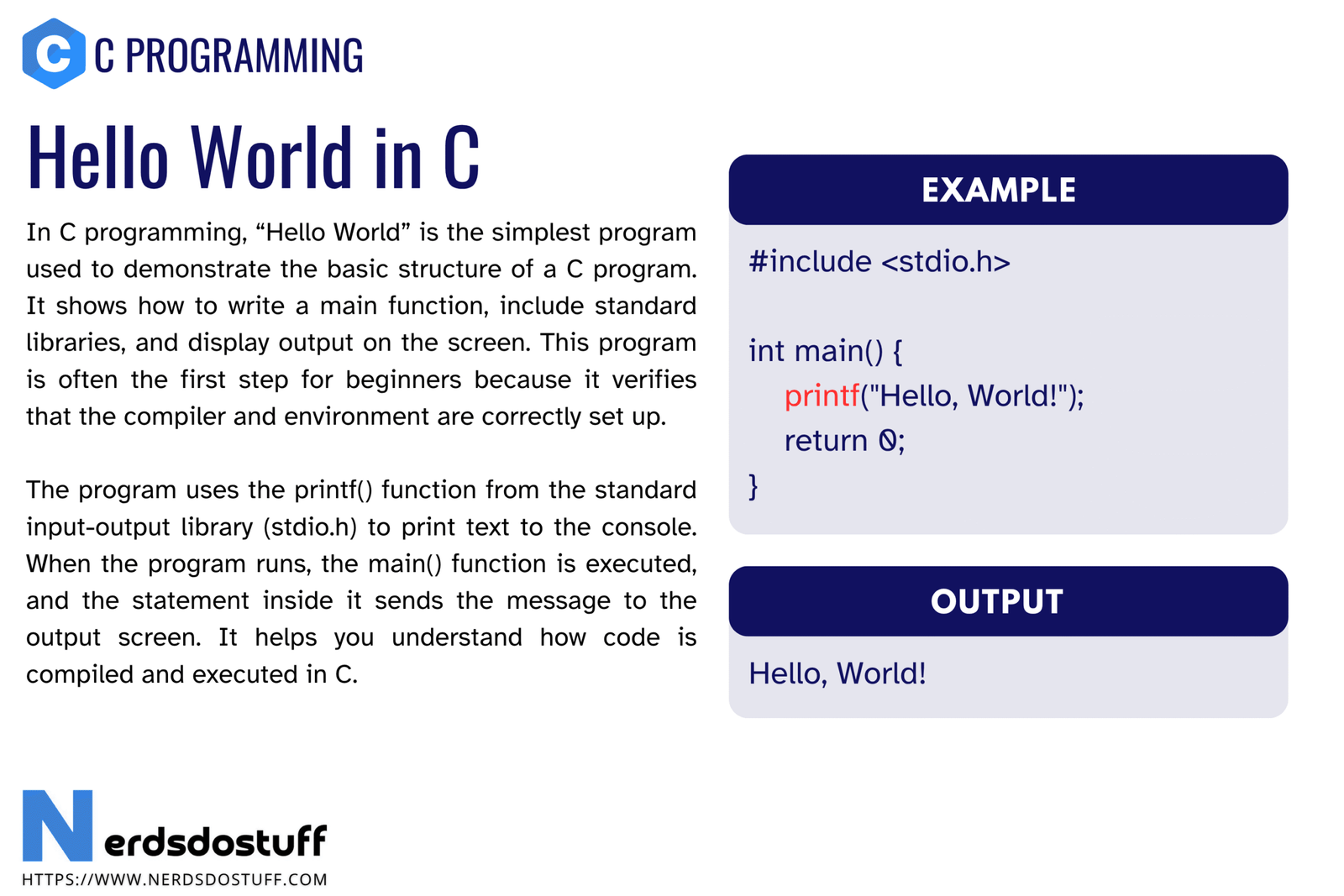
Hello World in C is usually the first complete C program a beginner writes. The code is short, but it introduces several core ideas at once: how a C source file is structured, how the standard library is included, where program execution starts, how output is displayed, and how a compiler turns source code into an executable file. That is why Hello World is more than a ceremonial first step. It is the smallest working example of a real C program.
If you understand this program properly, you already understand the skeleton of almost every basic C program you will write afterward. In this article, we will look at the standard Hello World program in C, break it down line by line, understand how to compile and run it, discuss common mistakes, and see why this tiny program matters so much in learning C.
What is Hello World in C?
Hello World in C is a simple program that prints the text Hello, World! on the screen. It is traditionally used as the first example when learning a new programming language because it is small enough to understand quickly while still demonstrating the basic program structure.
In C, the Hello World example is especially useful because it also introduces the compilation model. Unlike interpreted languages, a C program does not run directly from the source file. It is compiled into machine code first. So even this first example teaches both syntax and workflow.
Hello World is small, but it introduces program structure, library inclusion, function calls, output, and compilation in one complete example.
Standard Hello World Program in C
The most common version of the Hello World program in C is shown below.
#include <stdio.h>

int main(void)
{
    printf("Hello, World!\n");
    return 0;
}
When this program is compiled and executed, it prints the following output.
Hello, World!Line by Line Explanation of Hello World in C
Beginners often memorize the code before understanding it. That is not the right approach. The correct way is to understand what each line does and why it is there.
1. The #include <stdio.h> Line
This is a preprocessor directive. It tells the compiler to include the declarations from the standard input and output header file before compilation. The stdio.h header contains the declaration of the printf() function that we use to print text.
If this line is missing, the compiler may warn that printf() is being used without a proper declaration. In older C code this was sometimes tolerated, but in modern C you should always include the correct header.
2. The int main(void) Line
This line defines the main() function. Execution of a C program starts from main(). The keyword int means the function returns an integer value to the operating system. The void inside parentheses means this version of main() does not take any arguments.
You may also see int main() in beginner code. That form is common in simple examples, but int main(void) is clearer because it explicitly states that the function takes no parameters.
3. Curly Braces
The opening and closing braces define the body of the main() function. Everything between them belongs to the function. In C, braces are used to group statements into blocks.
4. The printf() Statement
The statement printf("Hello, World!\n"); calls the printf() function. This function displays formatted output on the standard output device, which is usually the terminal or console window.
Hello, World!is the text we want to print.\nis the newline escape sequence. It moves the cursor to the next line after printing.- The semicolon at the end marks the end of the statement.
5. The return 0; Statement
This line returns the integer value 0 from the main() function. By convention, returning 0 usually means the program completed successfully. Non-zero values often indicate an error or abnormal termination.
In modern C, writing return 0; in main() is good style because it makes the successful exit explicit, even though some compilers can infer it at the end of main().
Why Hello World Matters in C
Many learners underestimate Hello World because the output looks trivial. The educational value of the program is not in the printed text. It is in the concepts it introduces.
- It shows the smallest valid program structure.
- It introduces a header file and a library function.
- It shows where execution begins in a C program.
- It teaches that statements end with semicolons.
- It introduces escape sequences through
\n. - It gives the first exposure to compilation and execution.
Because of this, Hello World is not just a tradition. It is the first practical checkpoint that confirms your compiler, editor, and terminal workflow are set up correctly.
How to Compile and Run Hello World in C
After writing the source code, save it in a file such as hello.c. Then compile and run it using a C compiler such as GCC or Clang. The exact command depends on the platform and setup, but the overall process is the same.
| Step | Command or Action | Purpose |
|---|---|---|
| Save source file | hello.c | Stores your C source code |
| Compile | gcc hello.c -o hello | Creates an executable file |
| Run on Linux/macOS | ./hello | Executes the program |
| Run on Windows | hello.exe | Executes the compiled program |
If everything is correct, the output displayed on the console will be Hello, World!. If there is an error, the compiler will usually show the line number and a message explaining the problem.
gcc hello.c -o hello
./hello
Compilation Errors Beginners Often Face
The first program is also where many beginners meet compiler errors for the first time. These mistakes are normal, but you should learn to read them carefully instead of guessing.
- Missing semicolon after
printf() - Using curly quotes instead of normal double quotes around the string
- Writing
Printfinstead ofprintfbecause C is case-sensitive - Forgetting
#include <stdio.h> - Saving the file with the wrong extension
- Trying to run the source file directly without compiling it first
A good beginner habit is to read the compiler message, identify the exact line where the problem is reported, and fix one issue at a time. C compilers are often strict, but that strictness helps you learn precision.
Different Ways to Write Hello World in C
The classic program is not the only way to print Hello World. There are small variations, and each one can teach something useful.
Using puts() Instead of printf()
#include <stdio.h>
int main(void)
{
    puts("Hello, World!");
    return 0;
}
puts() automatically appends a newline after printing the string, so you do not need to write \n explicitly. However, printf() is still the more general function because it supports formatted output.
Using Command Line Arguments Form of main()
#include <stdio.h>
int main(int argc, char *argv[])
{
    printf("Hello, World!\n");
    return 0;
}
This version introduces the command line argument form of main(). It behaves the same for this program, but it prepares you for programs that accept external input from the command line.
What This Program Teaches Before You Move Ahead
After Hello World, you should already be comfortable with these ideas.
- A C program starts execution from
main(). - Header files are included using preprocessor directives.
- Functions such as
printf()come from libraries. - Statements generally end with semicolons.
- Escape sequences such as
\nhave special meaning. - The program must be compiled before it can run.
If these points are clear, you are ready for the next foundational topics such as compilation in C, variables in C, data types in C, and format specifiers in C.
FAQs
Why is Hello World the first program in C?
Hello World is used first because it is the smallest complete example that still shows the structure of a C program, how output works, and how the compile-run workflow works.
What is the use of stdio.h in Hello World in C?
stdio.h provides declarations for standard input and output functions such as printf() and puts(). Without it, the compiler will not have the proper declaration for these functions.
Why do we use \n in the output string?
\n is the newline escape sequence. It moves the cursor to the next line after printing the message, which keeps terminal output neat and readable.
Can we write Hello World without return 0;?
Some compilers allow the program to end without an explicit return 0; in main(), but writing it is better style because it clearly indicates successful completion.
What should I learn after Hello World in C?
The best next topics are compilation in C, variables in C, data types in C, format specifiers in C, and comments in C. These topics build directly on what Hello World introduces.
Continue learning C in order
Follow the topic sequence with the previous and next lesson.